Tag Archives: office setup

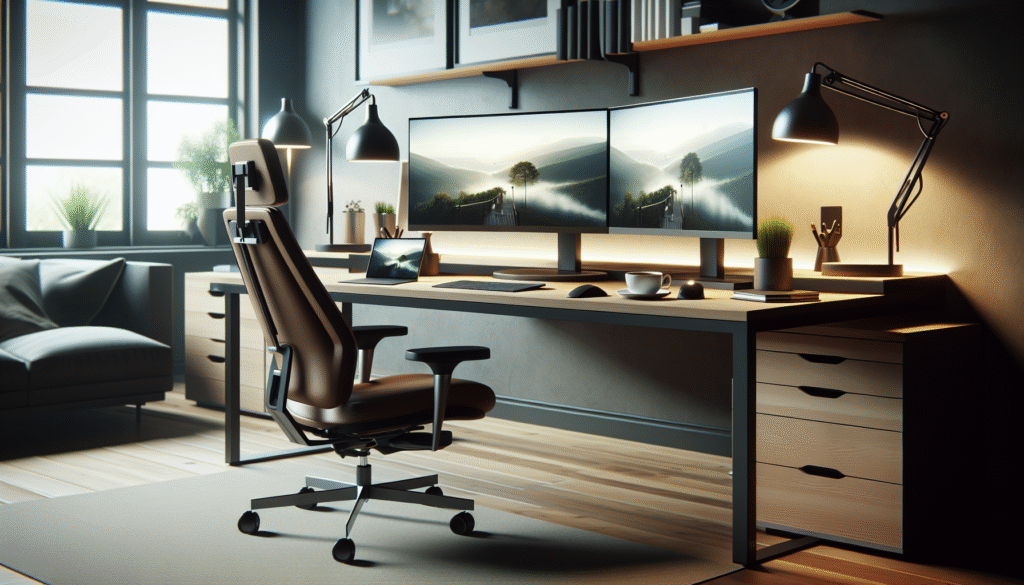
Ergonomic Home Office Essentials

Discover ergonomic essentials to enhance your home office setup, boost productivity, and improve wellbeing while working remotely from home.

Introduction: Why Does Ergonomics Matter in Your Home Office?

Have you ever wondered if your home office setup is affecting your overall wellbeing and productivity? As remote work becomes a more permanent fixture, understanding the importance of ergonomics in your home office is crucial. Proper ergonomics can prevent discomfort, enhance efficiency, and improve your workday.

Ergonomics isn’t just about expensive chairs or highend tech. It’s about creating a functional and comfortable workspace tailored to your body’s needs. By the end of this article, you’ll learn how to transform your home office into an ergonomic haven that supports your health and productivity.

Understanding Ergonomics: The Basics

Ergonomics might seem like a buzzword, but it’s rooted in practical applications to improve your work environment. At its core, ergonomics is the study of people’s efficiency in their work environment. It takes into account the design of the workspace to suit your physical needs, helping to reduce the risk of injury and discomfort.

The right ergonomic setup involves more than just choosing a comfortable chair. It includes the correct positioning of your computer screen, desk height, and even the organisation of your tools. These elements collectively contribute to a space that’s comfortable and conducive to productivity.

It’s essential to remember that ergonomics is not a onesizefitsall solution. Each individual’s needs will differ based on their body type and work requirements. By understanding the principles of ergonomics, you can adapt them to suit your personal workspace.

Essential Ergonomic Equipment

The foundation of any ergonomic home office begins with the right equipment. Investing in ergonomic furniture and accessories can significantly enhance your work experience. Here’s what to consider:

1. Chairs: An ergonomic chair provides support for your lower back and encourages good posture. Look for chairs with adjustable heights and lumbar support to ensure comfort throughout the day.

2. Desks: Your desk should allow your arms to rest comfortably at your sides, with your elbows forming a 90degree angle. Adjustable desks are ideal as they allow you to alternate between sitting and standing positions.

3. Keyboard and Mouse: Ergonomic keyboards and mouses minimise strain on your wrists. Opt for designs that maintain a neutral wrist position to prevent repetitive strain injuries.

4. Monitor Stands: Your monitor should be at eye level, about an arm’s length away, to reduce neck strain. Consider using monitor stands or laptop risers to achieve the perfect height.

5. AntiFatigue Mats: If you use a standing desk, an antifatigue mat can help reduce discomfort from standing for extended periods.

Optimising Your Workspace

Once you have the essential ergonomic equipment, the next step is to optimise your workspace. Organisation and layout play crucial roles in maintaining an ergonomic environment.

Consider the following tips:

Declutter: Keep your workspace tidy to minimise distractions and prevent unnecessary movements that could cause strain.

Lighting: Natural light is ideal, but if that’s not possible, ensure your space is welllit with desk lamps that don’t cast shadows on your work.

Positioning: Place frequently used items within easy reach to avoid excessive stretching or turning.

Cable Management: Organise cables and cords to prevent trip hazards and maintain a clean look.

By maintaining an organised workspace, you can create an environment that promotes focus and efficiency.

Health Benefits of an Ergonomic Workspace

An ergonomic home office is more than just a comfortable space; it offers numerous health benefits. Proper ergonomics can help alleviate physical pain, reduce stress, and enhance mental clarity.

Reduced Pain: Ergonomics aims to minimise strain on the body, which can lead to fewer issues such as back pain, neck stiffness, and wrist discomfort.

Increased Productivity: A comfortable workspace allows you to focus better, leading to improved productivity and work quality.

Enhanced Wellbeing: When your workspace supports your physical needs, it contributes to a positive mental state, reducing stress and fatigue.

By investing in ergonomics, you’re prioritising your health, which ultimately reflects on your work performance and satisfaction.

Top Tips and FAQ

Top Tips:

Adjust your chair and desk height to suit your specific body dimensions.
Take regular breaks to stand and stretch throughout your workday.
Position your screen at or slightly below eye level to prevent neck strain.
Keep your workspace organised to avoid unnecessary movements.

FAQ:

What is the ideal chair height for ergonomics?
The ideal chair height allows your feet to rest flat on the ground, with your thighs parallel to the floor.

How often should I take breaks when working from home?
Aim for a short break every 20 to 30 minutes to rest your eyes and stretch your body.

Can I use a regular desk for an ergonomic setup?
Yes, but you may need to adjust the height with risers or other tools to achieve the correct ergonomic position.

Is natural light important for a home office?
Yes, natural light can reduce eye strain and improve mood and productivity.

Conclusion: Transform Your Home Office Today

Creating an ergonomic home office is an investment in your health and productivity. By understanding and applying ergonomic principles, you can design a workspace that supports your wellbeing. So, what changes will you make to your home office today? Share your thoughts and experiences in the comments below, and don’t forget to check out our people finder for more tips on enhancing your workspace.

For more, see this Wikipedia article on Health.

Remote Work Success: Gadgets & Tips

Discover essential gadgets and practical tips to enhance your home office setup and boost remote work productivity effectively.
Have you ever wondered how to maximise productivity while working from home? The challenges of setting up a productive and comfortable remote work environment can be daunting. However, with the right gadgets and tips, you can transform your home into an efficient workspace that rivals any traditional office.

Optimising Your Home Office Layout

Creating an ideal home office setup is the first step toward achieving remote work success. It’s essential to choose a quiet, dedicated space where you can focus without distractions. Position your desk in a spot with ample natural light to help boost your mood and energy levels. Consider investing in an ergonomic chair and adjustable desk to maintain comfort and promote good posture throughout the day.

Another key aspect is decluttering. Keeping your workspace tidy not only enhances focus but also reduces stress. Utilise organisers and storage solutions to keep papers and office supplies neatly arranged. Personalise your space with plants and motivational items to make it more inviting. This setup will not only improve your productivity but also create a pleasant environment that you’ll enjoy working in daily.

Essential Gadgets for Remote Work

Integrating the right technology into your home office can dramatically improve your workflow. Start with a highquality laptop or desktop computer that meets your needs. Pair it with a reliable internet connection to ensure seamless communication with colleagues and clients.

Next, consider investing in a wireless keyboard and mouse for added flexibility and comfort. A second monitor can also be a gamechanger, allowing you to multitask more effectively. Don’t underestimate the power of noisecancelling headphones; they can help you concentrate by blocking out household distractions.

In terms of connectivity, a robust webcam and microphone are vital for clear video conferencing. Consider smart speakers or assistants to set reminders and manage your schedule efficiently. These tools can drastically enhance your remote work experience by streamlining tasks and improving communication.

Technology to Boost Productivity

Leverage technology to keep your productivity in check. Time management apps like Toggl or RescueTime can help you track how you’re spending your work hours, enabling you to identify areas for improvement. Additionally, project management software like Trello or Asana can facilitate collaboration with your team, ensuring everyone is aligned and on track.

Another innovative approach is using virtual wellness apps to incorporate breaks into your routine. Apps like Stretchly remind you to take regular breaks, while meditation apps like Headspace can help you relax and refocus. These tools contribute significantly to maintaining a healthy worklife balance, which is crucial for longterm success in remote work.

Enhancing Digital Wellbeing

Digital wellbeing should be a priority when working remotely. Prolonged screen time can lead to eye strain and fatigue, so incorporate blue lightblocking glasses or screens into your setup. Remember to adhere to the 202020 rule: every 20 minutes, take a 20second break and look at something 20 feet away.

Furthermore, set boundaries to separate work from personal life. This strategy might include defined work hours and a designated workspace that you leave at the end of the day. Digital detoxes during offhours can also help maintain mental health and prevent burnout.

Connecting with Colleagues Virtually

Maintaining social connections is important, even in a remote work setting. Regular virtual checkins with colleagues can foster a sense of community and combat feelings of isolation. Use platforms like Zoom or Microsoft Teams for video meetings and casual catchups.

Another useful tool is online collaboration software. Such platforms ensure smooth communication and project updates, creating a virtual office space where everyone feels connected. These interactions not only enhance teamwork but also build morale and make remote work more enjoyable.

Top Tips:

Set up a dedicated workspace to increase focus.
Invest in ergonomic and productivityenhancing gadgets.
Utilise productivity and wellness apps.
Establish clear boundaries between work and personal life.
Maintain regular virtual connections with your team.

FAQ:

Q: What are essential gadgets for remote work?
A: Key gadgets include a highquality computer, noisecancelling headphones, a webcam, and smart assistants.

Q: How can I improve my digital wellbeing while working from home?
A: Use blue light filters, take regular breaks, and establish worklife boundaries to enhance your digital wellbeing.

Q: How can I stay connected with my colleagues remotely?
A: Use virtual meeting platforms and collaboration software to maintain communication and teamwork effectively.

In conclusion, crafting an efficient home office equipped with the right gadgets and adhering to smart tips can significantly enhance your remote work experience. What gadgets have you found indispensable in your setup? Share your experiences and tips in the comments below. Embrace these strategies and create a productive work environment that suits your lifestyle.

Looking for a people finder? Click here!

For more, see this Wikipedia article on Fitness.

Perfecting Your Home Office Setup

Discover the best remote work gadgets and home office tips to enhance productivity and comfort from the comfort of your own home.
Have you ever wondered how to make your home office as efficient as possible? With remote work becoming a permanent fixture for many, optimising your workspace is paramount. Designing a productive environment doesn’t just mean a comfortable chair and desk. It’s about creating a space that enhances your mood, supports your workflow, and fosters creativity. So, what are the essential gadgets and tips you need for your home office?

Choosing the Right Tech Gadgets

Selecting the right technology is the first step in perfecting your home office. A fast and reliable internet connection is nonnegotiable. Consider investing in a good router to avoid interruptions during important meetings. Additionally, noisecancelling headphones can create a focused work environment, blocking out distractions. A highresolution monitor prevents eye strain and improves productivity, while a wireless keyboard and mouse clear desk clutter and enhance mobility at your workspace.

Smart lighting systems can adjust to natural daylight and help maintain a consistent schedule. These systems can be programmed to mimic sunrise and sunset, reducing the impact of artificial light. Ensuring your gadgets are compatible with each other is also crucial, enabling seamless connectivity and control.

Optimising Ergonomics for Comfort

Comfort should never be an afterthought when setting up your home office. An ergonomic chair supports your back, neck and arms, reducing the risk of strain over long work hours. Adjustable desks that allow you to alternate between sitting and standing can further promote comfort and health. They help reduce the time spent sitting, which is linked to several health issues.

Footrests and wrist pads are small additions that make a big difference. They provide additional support, making extended periods of work more comfortable. Remember to position your monitor at eye level to maintain a neutral neck position, and ensure your keyboard and mouse are close enough to prevent overreaching.

Creating a WorkLife Balance

Maintaining a healthy worklife balance is essential for longterm productivity and mental health. Set clear boundaries for work hours to prevent burnout and ensure time for personal activities. Consider using apps that promote time management, such as Pomodoro timers, to encourage periodic breaks and manage workloads effectively.

A tidy workspace contributes to a clearer mind. Regularly declutter and organise your desk to maintain focus and productivity. Incorporating greenery into your workspace, such as potted plants, can boost mood and create a refreshing atmosphere.

Boosting Productivity with Smart Assistants

Smart assistants like Amazon Alexa or Google Home can significantly enhance your productivity. These devices help manage calendars, set reminders, and optimise schedules—all through voice commands. They can integrate with other smart gadgets around your home, providing a seamless workflow experience.

Smart speakers can also play music or white noise to keep you focused and engaged, enhancing the overall work atmosphere. They can even control lighting and room temperature, contributing to a more customisable work environment.

Staying Connected and Motivated

Remote work can sometimes lead to feelings of isolation. Therefore, it’s vital to stay connected with colleagues through video conferencing tools such as Zoom or Microsoft Teams. Regular virtual meetings can nurture team spirit and collaboration.

Moreover, personalising your workspace with motivational quotes or artwork can keep you inspired. Staying in touch with friends and family during breaks can also provide emotional support amidst a busy workday.

Top Tips:

Invest in a fast and reliable internet connection.
Choose ergonomic furniture for maximum comfort.
Use smart assistants to manage tasks and schedules.
Ensure worklife balance with clear boundaries.
Regularly declutter and personalise your workspace.

FAQ:

What are essential gadgets for a home office? Key gadgets include a highresolution monitor, noisecancelling headphones, and a reliable router.
Why is ergonomics important? Ergonomics help reduce physical strain and promote comfort during long work hours.
How can I maintain worklife balance? Set clear work hours and boundaries, and use time management tools to separate professional and personal time.

In conclusion, setting up a productive home office requires thoughtful planning and the right gadgets. Have you tried incorporating any of these tips or gadgets into your home office setup? Share your experiences and let us know what has worked best for you. If you need a break, consider using a people finder to reconnect with old friends and take a step back from work stress.

For more, see this Wikipedia article on Health.

Essential Gadgets and Tips for a Productive Home Office

Discover the best gadgets and tips to enhance your remote work experience, making your home office a hub of productivity and comfort.

Mastering the Home Office: Essential Gadgets and Tips

Are you wondering how to take your home office from average to extraordinary? As remote work becomes more common, creating an efficient and comfortable workspace at home is crucial. The right gadgets not only enhance productivity but also improve the overall working experience. Let’s explore how you can optimise your home office with some musthave technology and practical tips.

Choosing the Right Office Equipment

The foundation of any great home office lies in choosing the right equipment. Start with the basics: a reliable computer or laptop, a comfortable chair, and a sturdy desk. An ergonomic chair is crucial as it supports your back and promotes good posture, reducing the risk of strain or injury. Pair it with an adjustable desk that suits your height and work style, ensuring you can switch between sitting and standing throughout the day.

Additionally, investing in a highresolution monitor can reduce eye strain and enhance productivity. Consider a dual monitor setup if your work involves multitasking, providing extra screen space to manage multiple applications simultaneously.

Enhancing Productivity with Smart Gadgets

Once you have the basics covered, consider incorporating smart gadgets to elevate your work environment. Noisecancelling headphones can help eliminate distractions, providing a cocoon of focus. A smart speaker, such as those from Amazon or Google, allows seamless voiceactivated control over your workspace, including setting reminders or checking the weather.

Smart lighting, which can mimic natural light, is another excellent addition. It can be programmed to adjust throughout the day, reducing blue light exposure and helping maintain your circadian rhythm for better sleep quality. A whiteboard or digital planner can also be invaluable for keeping track of tasks and deadlines.

Maintaining Comfort and Focus

Maintaining comfort is essential for prolonged productivity. Start by ensuring your office is wellventilated and set at a comfortable temperature. Using an air purifier can enhance air quality, reducing allergens and pollutants, which is especially beneficial if your workspace is in a busy household.

Personalise your space with plants, which not only add a touch of nature but also improve air quality and reduce stress. Position your desk to take advantage of natural light, ideally near a window. This setup can boost your mood and focus, providing an uplifting view and a breath of fresh air when needed.

Staying Organised in Your Work Environment

An organised workspace is a productive workspace. Use cable organisers to keep cords tidy and prevent them from becoming a tangled mess. Desk organisers can keep essentials within easy reach, reducing clutter and improving efficiency. In addition, consider digital tools to streamline your workflow. Cloudbased applications ensure that your documents are accessible from anywhere, facilitating seamless collaboration with colleagues and clients.

Moreover, establish a dedicated filing system for both digital and physical documents. Regularly declutter your workspace to maintain a clear mind and focus on the tasks at hand.

Top Tips:

1. Invest in an ergonomic chair and adjustable desk for maximum comfort.
2. Incorporate smart gadgets like speakers and lighting to boost productivity.
3. Use noisecancelling headphones to create a focused work environment.
4. Keep your workspace organised with cable and desk organisers.
5. Personalise your space with plants to enhance air quality and reduce stress.

FAQ:

Q: How can I reduce distractions in my home office?
A: Use noisecancelling headphones and position your office away from common household areas. Consider a ‘do not disturb’ sign to inform others when you’re working.

Q: What lighting is best for a home office?
A: Opt for natural light when possible, supplemented by smart lighting that adjusts throughout the day to reduce eye strain and mimic natural patterns.

Q: How can I personalise my office space?
A: Add elements that reflect your personality, like artwork, plants, and personal mementoes, to create a space that inspires and motivates you.

Conclusion

Transforming your home office into a productive and comfortable environment is more achievable than ever with the right gadgets and tips. Whether you’re a seasoned remote worker or new to the game, these strategies will help you optimise your setup. What are your favourite home office gadgets? How do you personalise your workspace? Share your thoughts and let’s keep the conversation going.

Remember, you can also explore useful tools online, such as a people finder, to assist in your remote work contacts.

For more, see this Wikipedia article on Meditation.

Top Remote Work Gadgets and Home Office Tips

Discover the best gadgets and tips to enhance your remote work experience, creating an efficient and comfortable home office setup.
Have you ever wondered what it takes to create the perfect workfromhome environment? With remote work becoming increasingly popular, setting up an efficient and comfortable home office is crucial. Let’s explore some essential gadgets and tips that can transform your home into a productive workspace.

Essential Gadgets for a Productive Home Office

Investing in the right gadgets can significantly enhance your remote work experience. Consider starting with ergonomic essentials, such as a comfortable office chair that supports your posture throughout the day. Pair this with an adjustable standing desk, which allows you to alternate between sitting and standing, promoting better circulation and reducing fatigue.

Next, look into dual monitors, which can boost productivity by providing ample screen space for multitasking. Additionally, a quality webcam and microphone are indispensable for clear virtual meetings, ensuring you stay connected with colleagues.

Smart lighting solutions, such as adjustable desk lamps with various colour temperatures, can help reduce eye strain and improve focus. Finally, noisecancelling headphones can minimise distractions, allowing you to concentrate on important tasks.

Optimising Your Home Office Layout

Designing a functional home office layout is key to achieving maximum productivity. Start by selecting a quiet location away from household distractions. Natural light is beneficial, so try to position your desk near a window to harness its energising effects.

Keep your workspace organised by using cable management solutions and storage options, such as shelves or filing cabinets, to declutter your desk. A clean environment can boost mental clarity and productivity.

Consider incorporating plants or artwork into your office decor to create an inviting atmosphere. Personal touches can enhance motivation and comfort, making your workspace a reflection of your personality.

Digital Tools for Enhanced Workflow

Selecting the right digital tools can streamline your workflow and improve efficiency. Invest in project management software like Trello or Asana to keep track of tasks and deadlines, fostering better collaboration with remote teams.

Communication platforms, such as Slack or Microsoft Teams, facilitate seamless interaction with colleagues, ensuring you’re always in the loop. For document management, tools like Google Drive or Dropbox offer easy access to files, enabling efficient data sharing and storage.

Time management apps, such as RescueTime, can help monitor productivity and identify areas for improvement. By integrating these digital tools into your routine, you can enhance your remote work experience and maintain a balanced worklife dynamic.

Maintaining Digital Wellbeing

Remote work can blur the boundaries between personal and professional life, making it essential to prioritise digital wellbeing. Begin by setting clear work hours and communicate these boundaries with household members to minimise interruptions.

Incorporate regular breaks into your schedule to avoid burnout and maintain focus. Techniques like the Pomodoro Technique, which involves working in short bursts followed by brief rests, can improve productivity.

It’s also vital to stay connected with colleagues on a personal level. Virtual social interactions can help combat feelings of isolation, fostering a sense of community and support within your remote team.

Top Tips and FAQs

Top Tips:

Invest in ergonomic furniture to support physical health.
Create a clutterfree environment to boost mental clarity.
Utilise digital tools to streamline communication and workflow.
Prioritise digital wellbeing by setting boundaries and taking breaks.

FAQ:

Q: What are the most important gadgets for a home office?
A: Essential gadgets include ergonomic furniture, dual monitors, noisecancelling headphones, and smart lighting solutions.

Q: How can I create a productive home office environment?
A: Choose a quiet location with natural light, keep your workspace organised, and incorporate personal touches for comfort and motivation.

Q: Which digital tools are recommended for remote work?
A: Tools like Trello, Slack, Google Drive, and time management apps can enhance productivity and workflow.

Conclusion

Creating the perfect remote work environment involves selecting the right gadgets, optimising your layout, and prioritising digital wellbeing. As you adapt your home office to suit your needs, consider how these changes impact your productivity and worklife balance. What gadgets and tips do you find essential for your remote work success? Share your thoughts and experiences with us! Don’t forget to check out how a people finder can assist in enhancing your professional network.

For more, see this Wikipedia article on Biohacking.