Tag Archives: work from home

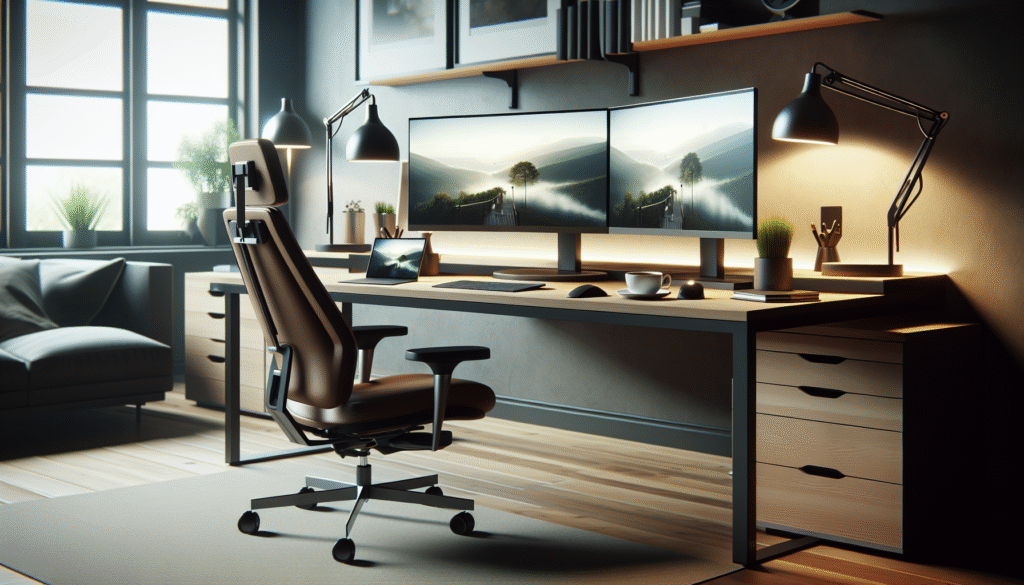
Ergonomic Home Office Essentials

Discover ergonomic essentials to enhance your home office setup, boost productivity, and improve wellbeing while working remotely from home.

Introduction: Why Does Ergonomics Matter in Your Home Office?

Have you ever wondered if your home office setup is affecting your overall wellbeing and productivity? As remote work becomes a more permanent fixture, understanding the importance of ergonomics in your home office is crucial. Proper ergonomics can prevent discomfort, enhance efficiency, and improve your workday.

Ergonomics isn’t just about expensive chairs or highend tech. It’s about creating a functional and comfortable workspace tailored to your body’s needs. By the end of this article, you’ll learn how to transform your home office into an ergonomic haven that supports your health and productivity.

Understanding Ergonomics: The Basics

Ergonomics might seem like a buzzword, but it’s rooted in practical applications to improve your work environment. At its core, ergonomics is the study of people’s efficiency in their work environment. It takes into account the design of the workspace to suit your physical needs, helping to reduce the risk of injury and discomfort.

The right ergonomic setup involves more than just choosing a comfortable chair. It includes the correct positioning of your computer screen, desk height, and even the organisation of your tools. These elements collectively contribute to a space that’s comfortable and conducive to productivity.

It’s essential to remember that ergonomics is not a onesizefitsall solution. Each individual’s needs will differ based on their body type and work requirements. By understanding the principles of ergonomics, you can adapt them to suit your personal workspace.

Essential Ergonomic Equipment

The foundation of any ergonomic home office begins with the right equipment. Investing in ergonomic furniture and accessories can significantly enhance your work experience. Here’s what to consider:

1. Chairs: An ergonomic chair provides support for your lower back and encourages good posture. Look for chairs with adjustable heights and lumbar support to ensure comfort throughout the day.

2. Desks: Your desk should allow your arms to rest comfortably at your sides, with your elbows forming a 90degree angle. Adjustable desks are ideal as they allow you to alternate between sitting and standing positions.

3. Keyboard and Mouse: Ergonomic keyboards and mouses minimise strain on your wrists. Opt for designs that maintain a neutral wrist position to prevent repetitive strain injuries.

4. Monitor Stands: Your monitor should be at eye level, about an arm’s length away, to reduce neck strain. Consider using monitor stands or laptop risers to achieve the perfect height.

5. AntiFatigue Mats: If you use a standing desk, an antifatigue mat can help reduce discomfort from standing for extended periods.

Optimising Your Workspace

Once you have the essential ergonomic equipment, the next step is to optimise your workspace. Organisation and layout play crucial roles in maintaining an ergonomic environment.

Consider the following tips:

Declutter: Keep your workspace tidy to minimise distractions and prevent unnecessary movements that could cause strain.

Lighting: Natural light is ideal, but if that’s not possible, ensure your space is welllit with desk lamps that don’t cast shadows on your work.

Positioning: Place frequently used items within easy reach to avoid excessive stretching or turning.

Cable Management: Organise cables and cords to prevent trip hazards and maintain a clean look.

By maintaining an organised workspace, you can create an environment that promotes focus and efficiency.

Health Benefits of an Ergonomic Workspace

An ergonomic home office is more than just a comfortable space; it offers numerous health benefits. Proper ergonomics can help alleviate physical pain, reduce stress, and enhance mental clarity.

Reduced Pain: Ergonomics aims to minimise strain on the body, which can lead to fewer issues such as back pain, neck stiffness, and wrist discomfort.

Increased Productivity: A comfortable workspace allows you to focus better, leading to improved productivity and work quality.

Enhanced Wellbeing: When your workspace supports your physical needs, it contributes to a positive mental state, reducing stress and fatigue.

By investing in ergonomics, you’re prioritising your health, which ultimately reflects on your work performance and satisfaction.

Top Tips and FAQ

Top Tips:

Adjust your chair and desk height to suit your specific body dimensions.
Take regular breaks to stand and stretch throughout your workday.
Position your screen at or slightly below eye level to prevent neck strain.
Keep your workspace organised to avoid unnecessary movements.

FAQ:

What is the ideal chair height for ergonomics?
The ideal chair height allows your feet to rest flat on the ground, with your thighs parallel to the floor.

How often should I take breaks when working from home?
Aim for a short break every 20 to 30 minutes to rest your eyes and stretch your body.

Can I use a regular desk for an ergonomic setup?
Yes, but you may need to adjust the height with risers or other tools to achieve the correct ergonomic position.

Is natural light important for a home office?
Yes, natural light can reduce eye strain and improve mood and productivity.

Conclusion: Transform Your Home Office Today

Creating an ergonomic home office is an investment in your health and productivity. By understanding and applying ergonomic principles, you can design a workspace that supports your wellbeing. So, what changes will you make to your home office today? Share your thoughts and experiences in the comments below, and don’t forget to check out our people finder for more tips on enhancing your workspace.

For more, see this Wikipedia article on Health.

Connecting Virtually: Mastering Remote Collaboration

Explore how remote collaboration platforms are transforming workspaces, making teamwork seamless, and boosting productivity in a digital era.

Introduction

Have you ever wondered how technology is reshaping the way we work? In the modern world, remote collaboration platforms are becoming essential tools for both businesses and individuals. These digital solutions are facilitating seamless teamwork from anywhere in the world, arguably transforming our work culture. But how do they work, and what makes them so crucial today?

The Rise of Remote Collaboration Platforms

The concept of remote work is not new, but it has gained momentum in recent times due to technological advancements and changing work dynamics. Remote collaboration platforms play a significant role in this shift. With features like video conferencing, file sharing, and realtime messaging, they have brought the virtual office to life. This transition has been propelled by the need for flexible work arrangements, allowing people to connect and collaborate effectively despite physical distances.

Platforms like Zoom, Microsoft Teams, and Slack have become household names, offering diverse functionalities that cater to various organisational needs. These tools provide a virtual space where teams can discuss, brainstorm, and execute projects with ease. This connectivity not only enhances productivity but also fosters a sense of inclusivity by bridging geographical barriers.

Moreover, the convenience of these platforms has made them popular in educational settings too. Schools and universities have adapted to online classes and meetings, ensuring continued learning without interruption. This adaptability demonstrates the platforms’ versatility and their growing importance in different sectors.

Benefits of Remote Collaboration Tools

Remote collaboration tools offer numerous benefits that enhance team efficiency and satisfaction. The foremost advantage is flexibility. Employees can work from any location, whether it’s the comfort of their home or a cosy café. This freedom helps in achieving a better worklife balance, thereby reducing stress and enhancing mental wellbeing.

Another benefit is streamlined communication. With features such as direct messaging and video calls, teams can communicate quickly and clearly. These tools eliminate the delays often associated with email correspondence, facilitating faster decisionmaking. As a result, tasks are completed more efficiently, which contributes to overall project success.

Additionally, these platforms bolster teamwork by promoting transparency. Shared virtual workspaces enable team members to track project progress, share feedback, and make adjustments collaboratively. This transparent approach leads to increased accountability and cohesion within teams.

Challenges and Solutions

Despite their numerous advantages, remote collaboration platforms do come with challenges. One significant issue is the potential for digital fatigue due to prolonged screen time. To mitigate this, it’s crucial to implement structured breaks and encourage offline interactions among team members. By striking a balance between digital and physical interactions, teams can maintain their energy and focus.

Security and privacy concerns also pose challenges. Ensuring that platforms have robust encryption and secured data handling protocols is vital to protect sensitive information. Organisations should invest in reliable platforms and provide training for employees to enhance cybersecurity awareness.

Moreover, building a cohesive team culture can be tricky in a virtual environment. Innovative solutions, such as virtual teambuilding activities and regular checkins, can foster a sense of belonging and camaraderie among remote team members. Creating opportunities for informal interactions can strengthen relationships and improve morale.

Top Tips:

1. Select the right platform that aligns with your team’s needs.
2. Encourage regular breaks to prevent digital fatigue.
3. Prioritise cybersecurity to protect sensitive data.
4. Foster team spirit with virtual events and teambuilding exercises.
5. Use a people finder tool, like people finder, to connect with colleagues or clients.

FAQ:

What are the most popular remote collaboration platforms?

Zoom, Microsoft Teams, Slack, Trello, and Asana are among the most widely used platforms, each offering unique features.

How can I enhance team communication remotely?

Regular virtual meetings, clear communication channels, and shared digital workspaces can significantly improve team communication.

What measures can ensure data security on these platforms?

Utilising platforms with endtoend encryption, secure login protocols, and regular security updates can safeguard your data.

Conclusion

Remote collaboration platforms are reshaping the professional landscape by offering flexible, efficient, and inclusive ways to work. Have you explored these tools for your work? Share your experiences and insights in the comments below, and let’s discuss how these platforms are impacting your daytoday operations.

For more, see this Wikipedia article on Wellness.

Noise-Cancelling Tech for Enhanced Focus

Discover how noisecancelling technology can boost concentration, improve productivity, and provide peace in your daily life, both at home and at work.

Introduction: Can NoiseCancelling Technology Improve Focus?

In today’s fastpaced world, distractions seem unavoidable, particularly when trying to focus on work or personal tasks. With noisecancelling technology, the quest for concentration becomes feasible, allowing individuals to hone in on what matters. But how effective is this tech in enhancing focus, and is it a worthy investment for creating peaceful environments?

Understanding NoiseCancelling Technology

Noisecancelling technology has surged in popularity, promising a sanctuary of calm amidst the chaos of modern life. This innovative tech utilises active noise control to reduce unwanted ambient sounds, making it an attractive tool for those seeking peace. The technology works by using microphones to pick up external sounds, generating sound waves that are phaseinverted to cancel out the noise.

The science behind noise cancellation involves sophisticated algorithms that intelligently respond to changing soundscapes. This means whether you’re on a bustling train or in a noisy office, the tech adjusts accordingly. The goal is to create an auditory environment conducive to concentration, free from interruptions.

Beyond the technical aspects, noisecancelling devices often come in various forms, such as headphones and earplugs, each catering to different needs. Understanding the variety allows users to choose products that fit their lifestyle and enhance their specific focus needs.

The Benefits of NoiseCancelling Tech for Focus

The primary benefit of noisecancelling technology is the improved ability to concentrate on tasks at hand. By minimising distractions, users can maintain better mental clarity and work more efficiently. This is particularly advantageous in openplan offices or for individuals working from home, where unexpected sounds regularly interrupt focus.

Additionally, the peace provided by noisecancelling devices supports mental wellbeing. Reduced noise pollution can lower stress levels, creating a more serene work environment conducive to productivity. This quietude is not only beneficial for work but also for relaxation or meditation practices.

The positive impacts extend to physical health as well. Prolonged exposure to high levels of noise can lead to hearing damage and increased blood pressure. By using noisecancelling technology, individuals protect themselves from these longterm health risks while simultaneously improving their immediate work performance.

Choosing the Right NoiseCancelling Device

With a plethora of options available, selecting the right noisecancelling device can feel daunting. Key considerations include purpose, environment, and budget. For those needing portable solutions, wireless headphones or earbuds are ideal, offering flexibility and convenience for both work and leisure.

For users focusing on office tasks, overear headphones might provide the best noise isolation, helping maintain focus during long work sessions. Alternatively, inear models offer discreetness if you prefer a less obtrusive option.

Evaluating the device’s battery life and comfort is crucial, too, especially for those planning to use the technology for extended periods. Durable, lightweight materials ensure comfort, while longer battery life ensures productivity isn’t interrupted at inopportune moments.

Integrating NoiseCancelling Tech into Daily Life

Incorporating noisecancelling technology into your daily routine necessitates understanding its role in your lifestyle. Establishing quiet zones at work or home can maximise the tech’s benefit. Positioning seating arrangements or workspaces away from hightraffic areas reduces ambient noise and enhances the technology’s effectiveness.

Furthermore, combining noisecancelling devices with other productivity tools, such as focus apps or timers, can create an optimised workflow. This holistic approach allows users to manage their working environments actively, balancing technology with practical productivity strategies to achieve focus.

Noisecancelling technology also complements lifestyle aspirations such as digital minimalism, where fewer auditory distractions lead to a more mindful, stressfree lifestyle. Aligning usage with personal goals can help maintain motivation and consistency in using the technology effectively.

Top Tips: Maximising Your NoiseCancelling Experience

Experiment with different products to find what best suits your needs.
Combine noisecancelling tech with productivity apps for optimal focus.
Create a designated quiet area free from unnecessary noise.
Regularly update device firmware for enhanced performance.
Pair with soothing ambient sounds for relaxation and meditation.

FAQ: Common Questions About NoiseCancelling Technology

Q1: Is noisecancelling technology safe for daily use?
A: Yes, it’s designed to be safe and reduces noise exposure, which can benefit longterm hearing health.

Q2: Will noisecancelling tech eliminate all sound?
A: While it significantly reduces ambient noise, some sound may remain, particularly in very loud environments.

Q3: Can I use noisecancelling headphones outdoors?
A: Yes, they’re suitable for outdoor use, but be mindful of your surroundings for safety.

Q4: Do noisecancelling devices require charging?
A: Most do, especially active noisecancelling headphones, which need regular charging to function.

Conclusion: Is NoiseCancelling Tech Right for You?

Are you ready to embrace the tranquility that noisecancelling technology can offer? Whether working from home, commuting, or simply seeking peace, these devices can revolutionise your approach to focus and productivity. Is it time to invest in your concentration and wellbeing? Share your thoughts and experiences, and explore how this technology could transform your daily life. For further insight into creating a more peaceful life, check out our people finder resource today.

For more, see this Wikipedia article on future health tech.

Optimising Your Home Office Space

Discover essential remote work gadgets and home office tips to boost productivity and comfort. Perfect your workspace with our practical guide.
Have you ever wondered how to make your home office more productive and comfortable? As remote work becomes a staple in our lives, optimising your workspace is key to balancing efficiency and wellbeing. In this article, we’ll explore essential remote work gadgets and home office tips to enhance your productivity and comfort.

Why Remote Work Setup Matters

Creating an effective home office setup can significantly impact your productivity and overall job satisfaction. A wellorganised workspace helps reduce distractions while promoting a healthy worklife balance. The right environment can make a difference in how you work and feel throughout the day.

Ergonomics play a critical role in setting up a remote workspace. By investing in ergonomic furniture, such as an adjustable chair and desk, you can avoid unnecessary strain on your body. Additionally, using gadgets like a wireless keyboard and mouse can help maintain a natural posture.

Lighting is another crucial element often overlooked. Adequate natural and artificial lighting can reduce eye strain and increase focus. Positioning your desk near a window and using adjustable LED lamps can create a bright and inviting workspace.

Beyond the physical setup, organisation is essential. Incorporating storage solutions, such as shelves and filing systems, will help keep your area tidy and clutterfree. This not only saves time but also enhances mental clarity, allowing you to focus better on tasks.

MustHave Remote Work Gadgets

The right gadgets can transform your home office into a powerhouse of productivity. Noisecancelling headphones, for example, can block out distractions and improve concentration during work hours. These are especially beneficial if you share your space with family or roommates.

A secondary monitor is a gamechanger for multitasking. It offers more screen real estate, enabling you to manage multiple applications and documents seamlessly. This is particularly useful for professionals who frequently reference multiple sources or engage in creative work.

Investing in a quality webcam and microphone is crucial for clear communication in virtual meetings. With remote work, effective collaboration is essential, and these tools ensure your presence is felt in virtual spaces.

Consider adding a smart assistant device to your setup. These gadgets can manage reminders, control smart home devices, and even play your favourite tunes, making your day more efficient and enjoyable.

Lastly, a standing desk converter provides flexibility in your posture throughout the day. Shifting between sitting and standing can boost energy levels and reduce the risks associated with prolonged sitting.

Designing an Inspiring Workspace

Your workspace should inspire creativity and productivity. Incorporating personal touches, such as artwork or plants, can enhance the aesthetic appeal and provide a mental boost. Choose colours and decor that resonate with your personal style and motivate you.

Creating defined work zones within your home can delineate work from leisure. Whether it’s a dedicated room or a nook in your living area, establishing boundaries helps maintain focus and signal the end of the workday.

Think about acoustics within your space. Soft furnishings, such as rugs and curtains, can absorb sound and reduce echo, creating a calm environment conducive to work.

Consider the flow and functionality of your setup. Arrange your desk and equipment to facilitate ease of movement and access to frequently used items. A wellthoughtout layout can streamline your work process and make transitions between tasks smoother.

Natureinspired elements, such as greenery or light wood furniture, can create a serene ambiance. This connection to nature is known to boost mood and creativity, enhancing your work experience.

Balancing Comfort and Productivity

Achieving the perfect balance between comfort and productivity is essential for a successful home office. Comfortable seating, sufficient lighting, and the appropriate technology are fundamental in creating a supportive environment.

Investing in quality furniture might seem unnecessary, but the benefits to your health and productivity are significant. An ergonomic chair and desk that fit your body and work style can prevent discomfort and foster prolonged focus.

Lighting should be adjustable to suit different tasks. Task lighting, such as desk lamps with adjustable arms, provides focused illumination, reducing eye fatigue. Meanwhile, ambient lighting can create a relaxed atmosphere conducive to creative thinking.

Incorporate technology that facilitates both work and wellness. Apps for concentration, wellness breaks, and meditation can be integrated into your daily routine to maintain wellbeing.

Finally, evaluate your workspace periodically. Assess what works well and what doesn’t, and be willing to adapt. Your home office should evolve with your needs and preferences.

Top Tips:

Invest in ergonomic furniture for comfort.
Use dual monitors for efficient multitasking.
Incorporate personal touches to inspire.
Ensure adequate lighting to reduce strain.
Declutter regularly to maintain focus.

FAQ:

Q: How can I make my home office more ergonomic?
A: Use an adjustable chair and desk, and position your monitor at eye level to maintain a neutral posture.

Q: What gadgets are essential for remote work?
A: Noisecancelling headphones, a secondary monitor, a quality webcam, and smart assistant devices are great additions.

Q: How can I organise my home office effectively?
A: Implement storage solutions like shelves and filing systems to keep your space tidy and clutterfree.

Q: What lighting is best for a home office?
A: Combine natural light with adjustable LED lamps for bright and flexible lighting options.

Q: How can I ensure a clear separation between work and home life?
A: Create designated work zones and establish routines that signal the start and end of your workday.

In conclusion, creating a productive and comfortable home office requires thoughtful consideration of ergonomics, technology, and personalisation. By investing in the right tools and setting, you can enhance your remote work experience. What’s your favourite home office gadget or tip? Share your thoughts in the comments. For more tips on organising your workspace, check out our people finder resource for inspiration.

For more, see this Wikipedia article on future health tech.

Remote Work Success: Gadgets & Tips

Discover essential gadgets and practical tips to enhance your home office setup and boost remote work productivity effectively.
Have you ever wondered how to maximise productivity while working from home? The challenges of setting up a productive and comfortable remote work environment can be daunting. However, with the right gadgets and tips, you can transform your home into an efficient workspace that rivals any traditional office.

Optimising Your Home Office Layout

Creating an ideal home office setup is the first step toward achieving remote work success. It’s essential to choose a quiet, dedicated space where you can focus without distractions. Position your desk in a spot with ample natural light to help boost your mood and energy levels. Consider investing in an ergonomic chair and adjustable desk to maintain comfort and promote good posture throughout the day.

Another key aspect is decluttering. Keeping your workspace tidy not only enhances focus but also reduces stress. Utilise organisers and storage solutions to keep papers and office supplies neatly arranged. Personalise your space with plants and motivational items to make it more inviting. This setup will not only improve your productivity but also create a pleasant environment that you’ll enjoy working in daily.

Essential Gadgets for Remote Work

Integrating the right technology into your home office can dramatically improve your workflow. Start with a highquality laptop or desktop computer that meets your needs. Pair it with a reliable internet connection to ensure seamless communication with colleagues and clients.

Next, consider investing in a wireless keyboard and mouse for added flexibility and comfort. A second monitor can also be a gamechanger, allowing you to multitask more effectively. Don’t underestimate the power of noisecancelling headphones; they can help you concentrate by blocking out household distractions.

In terms of connectivity, a robust webcam and microphone are vital for clear video conferencing. Consider smart speakers or assistants to set reminders and manage your schedule efficiently. These tools can drastically enhance your remote work experience by streamlining tasks and improving communication.

Technology to Boost Productivity

Leverage technology to keep your productivity in check. Time management apps like Toggl or RescueTime can help you track how you’re spending your work hours, enabling you to identify areas for improvement. Additionally, project management software like Trello or Asana can facilitate collaboration with your team, ensuring everyone is aligned and on track.

Another innovative approach is using virtual wellness apps to incorporate breaks into your routine. Apps like Stretchly remind you to take regular breaks, while meditation apps like Headspace can help you relax and refocus. These tools contribute significantly to maintaining a healthy worklife balance, which is crucial for longterm success in remote work.

Enhancing Digital Wellbeing

Digital wellbeing should be a priority when working remotely. Prolonged screen time can lead to eye strain and fatigue, so incorporate blue lightblocking glasses or screens into your setup. Remember to adhere to the 202020 rule: every 20 minutes, take a 20second break and look at something 20 feet away.

Furthermore, set boundaries to separate work from personal life. This strategy might include defined work hours and a designated workspace that you leave at the end of the day. Digital detoxes during offhours can also help maintain mental health and prevent burnout.

Connecting with Colleagues Virtually

Maintaining social connections is important, even in a remote work setting. Regular virtual checkins with colleagues can foster a sense of community and combat feelings of isolation. Use platforms like Zoom or Microsoft Teams for video meetings and casual catchups.

Another useful tool is online collaboration software. Such platforms ensure smooth communication and project updates, creating a virtual office space where everyone feels connected. These interactions not only enhance teamwork but also build morale and make remote work more enjoyable.

Top Tips:

Set up a dedicated workspace to increase focus.
Invest in ergonomic and productivityenhancing gadgets.
Utilise productivity and wellness apps.
Establish clear boundaries between work and personal life.
Maintain regular virtual connections with your team.

FAQ:

Q: What are essential gadgets for remote work?
A: Key gadgets include a highquality computer, noisecancelling headphones, a webcam, and smart assistants.

Q: How can I improve my digital wellbeing while working from home?
A: Use blue light filters, take regular breaks, and establish worklife boundaries to enhance your digital wellbeing.

Q: How can I stay connected with my colleagues remotely?
A: Use virtual meeting platforms and collaboration software to maintain communication and teamwork effectively.

In conclusion, crafting an efficient home office equipped with the right gadgets and adhering to smart tips can significantly enhance your remote work experience. What gadgets have you found indispensable in your setup? Share your experiences and tips in the comments below. Embrace these strategies and create a productive work environment that suits your lifestyle.

Looking for a people finder? Click here!

For more, see this Wikipedia article on Fitness.

Perfecting Your Home Office Setup

Discover the best remote work gadgets and home office tips to enhance productivity and comfort from the comfort of your own home.
Have you ever wondered how to make your home office as efficient as possible? With remote work becoming a permanent fixture for many, optimising your workspace is paramount. Designing a productive environment doesn’t just mean a comfortable chair and desk. It’s about creating a space that enhances your mood, supports your workflow, and fosters creativity. So, what are the essential gadgets and tips you need for your home office?

Choosing the Right Tech Gadgets

Selecting the right technology is the first step in perfecting your home office. A fast and reliable internet connection is nonnegotiable. Consider investing in a good router to avoid interruptions during important meetings. Additionally, noisecancelling headphones can create a focused work environment, blocking out distractions. A highresolution monitor prevents eye strain and improves productivity, while a wireless keyboard and mouse clear desk clutter and enhance mobility at your workspace.

Smart lighting systems can adjust to natural daylight and help maintain a consistent schedule. These systems can be programmed to mimic sunrise and sunset, reducing the impact of artificial light. Ensuring your gadgets are compatible with each other is also crucial, enabling seamless connectivity and control.

Optimising Ergonomics for Comfort

Comfort should never be an afterthought when setting up your home office. An ergonomic chair supports your back, neck and arms, reducing the risk of strain over long work hours. Adjustable desks that allow you to alternate between sitting and standing can further promote comfort and health. They help reduce the time spent sitting, which is linked to several health issues.

Footrests and wrist pads are small additions that make a big difference. They provide additional support, making extended periods of work more comfortable. Remember to position your monitor at eye level to maintain a neutral neck position, and ensure your keyboard and mouse are close enough to prevent overreaching.

Creating a WorkLife Balance

Maintaining a healthy worklife balance is essential for longterm productivity and mental health. Set clear boundaries for work hours to prevent burnout and ensure time for personal activities. Consider using apps that promote time management, such as Pomodoro timers, to encourage periodic breaks and manage workloads effectively.

A tidy workspace contributes to a clearer mind. Regularly declutter and organise your desk to maintain focus and productivity. Incorporating greenery into your workspace, such as potted plants, can boost mood and create a refreshing atmosphere.

Boosting Productivity with Smart Assistants

Smart assistants like Amazon Alexa or Google Home can significantly enhance your productivity. These devices help manage calendars, set reminders, and optimise schedules—all through voice commands. They can integrate with other smart gadgets around your home, providing a seamless workflow experience.

Smart speakers can also play music or white noise to keep you focused and engaged, enhancing the overall work atmosphere. They can even control lighting and room temperature, contributing to a more customisable work environment.

Staying Connected and Motivated

Remote work can sometimes lead to feelings of isolation. Therefore, it’s vital to stay connected with colleagues through video conferencing tools such as Zoom or Microsoft Teams. Regular virtual meetings can nurture team spirit and collaboration.

Moreover, personalising your workspace with motivational quotes or artwork can keep you inspired. Staying in touch with friends and family during breaks can also provide emotional support amidst a busy workday.

Top Tips:

Invest in a fast and reliable internet connection.
Choose ergonomic furniture for maximum comfort.
Use smart assistants to manage tasks and schedules.
Ensure worklife balance with clear boundaries.
Regularly declutter and personalise your workspace.

FAQ:

What are essential gadgets for a home office? Key gadgets include a highresolution monitor, noisecancelling headphones, and a reliable router.
Why is ergonomics important? Ergonomics help reduce physical strain and promote comfort during long work hours.
How can I maintain worklife balance? Set clear work hours and boundaries, and use time management tools to separate professional and personal time.

In conclusion, setting up a productive home office requires thoughtful planning and the right gadgets. Have you tried incorporating any of these tips or gadgets into your home office setup? Share your experiences and let us know what has worked best for you. If you need a break, consider using a people finder to reconnect with old friends and take a step back from work stress.

For more, see this Wikipedia article on Health.

Essential Gadgets for Your Remote Work Haven

Discover top gadgets and tips to enhance your remote work experience, boosting productivity and comfort in your home office environment.
Have you ever wondered how to make your remote work experience more efficient and enjoyable? With the right gadgets and tips, you can transform your home office into a productivity haven. Dive into our guide to explore essential devices that enhance your workfromhome setup.

Optimising Your Workspace

Creating an effective home office begins with optimising your workspace. A wellorganised area can significantly impact your focus and productivity. Start by choosing a dedicated spot in your home, ideally away from distractions and noise. Make sure the lighting is adequate—natural light is preferable as it can boost your mood and energy.

Invest in an ergonomic chair and desk that support good posture. This reduces the risk of back pain and other discomforts associated with sitting for long hours. Arrange your equipment and accessories within easy reach to maintain an uncluttered desk. These small changes create a more harmonious work environment and contribute to improved efficiency.

MustHave Gadgets for Productivity

The right gadgets can enhance your productivity and ensure a seamless working experience. A highquality laptop or desktop computer is a must, providing the power and speed needed for various tasks. Pair your device with a large monitor to reduce eye strain and improve workflow efficiency.

Consider noisecancelling headphones for an uninterrupted work session, especially if your household is lively. A wireless keyboard and mouse offer flexibility and help keep your desk tidy. Additionally, a smart assistant, such as Amazon Echo or Google Home, can manage your schedule and set reminders, allowing you to stay organised without breaking your flow.

Connectivity Solutions

In today’s digital age, connectivity is key. A reliable internet connection is crucial for remote work, enabling smooth communication and collaboration. Consider upgrading your router or investing in a WiFi extender to ensure consistent coverage throughout your home.

For those frequent video calls, a goodquality webcam and microphone are indispensable. They facilitate clear communication, making virtual meetings more professional and engaging. Additionally, cloud storage solutions like Dropbox or Google Drive ensure easy access to files from any device, enhancing both convenience and security.

Enhancing Comfort and Wellness

Comfort plays a vital role in maintaining productivity during remote work. Incorporate elements that promote wellness and relaxation in your workspace. A desk lamp with adjustable settings can reduce eye strain and improve concentration. Additionally, houseplants not only beautify your area but also purify the air and boost morale.

Ensure you take regular breaks to stretch and move around. A standing desk converter is an excellent investment, allowing you to alternate between sitting and standing during work hours. Lastly, using a diffuser with calming essential oils can create a pleasant atmosphere, reducing stress and increasing focus.

Advanced Tools for Time Management

Effective time management is essential when working remotely. Utilise digital tools and apps to keep track of tasks and deadlines. Project management software like Asana or Trello can help you organise projects and collaborate with colleagues effortlessly.

For personal productivity, consider adopting the Pomodoro Technique using a digital timer. This method encourages focused work sessions followed by short breaks, boosting productivity while preventing burnout. Additionally, integrating a smart calendar system can ensure all your appointments and tasks are synced across devices, saving you time and effort.

Top Tips:

Set up a dedicated workspace to minimise distractions.
Invest in ergonomic furniture to enhance comfort.
Choose gadgets that streamline your workflow.
Prioritise connectivity for smooth communication.
Incorporate wellness elements to maintain balance.

FAQ:

Q: What are the most important gadgets for a home office?
A: Essential gadgets include a highquality computer, ergonomic furniture, noisecancelling headphones, and a reliable internet connection.

Q: How can I improve my productivity while working remotely?
A: Establish a dedicated workspace, use productivity tools, and incorporate wellness elements to stay focused and balanced.

Q: What should I consider for my home office setup?
A: Prioritise ergonomics, connectivity, and organisation to create a functional and comfortable workspace.

In conclusion, equipping your home office with the right gadgets and adhering to practical tips can dramatically enhance your remote work experience. What are your goto gadgets for working from home? How do you maintain productivity and comfort in your workspace? Share your thoughts and join the conversation!

Explore our people finder resources to stay connected with colleagues and collaborators in your professional network.

For more, see this Wikipedia article on Technology.

Creating a Productive Home Office Environment

Discover innovative remote work gadgets and practical home office tips to enhance productivity and comfort while working from home.
Have you ever wondered how to make your home office more productive and comfortable? With remote work becoming increasingly prevalent, creating an effective workspace at home is essential for maintaining productivity and worklife balance. In this article, we’ll explore some of the latest remote work gadgets and share practical tips for setting up your home office.

Choosing the Right Location

Selecting the ideal spot for your home office is the first step to creating a productive environment. Consider a space that is quiet, welllit, and free from distractions. For many, this means choosing a room away from hightraffic areas in the house. Natural light is beneficial, as it can boost mood and increase productivity.

If possible, dedicate a specific room as your office. Having a separate space helps establish boundaries between work and personal life. However, if a separate room isn’t feasible, create a designated area with clear boundaries, perhaps using a room divider or furniture arrangement.

Choose furniture that supports good posture, such as an ergonomic chair and desk. These are investments in your comfort and health. Remember, the goal is to create a space where you can focus and work efficiently, without sacrificing comfort.

Gadgets to Enhance Productivity

Incorporating the right technology into your home office can significantly boost your productivity. Start with the basics, such as a reliable computer with sufficient speed and storage. A highquality monitor can reduce eye strain and improve focus.

Consider adding noisecancelling headphones to minimise distractions, especially if you don’t have a separate office room. A smart speaker or virtual assistant can help manage your schedule and keep you on track throughout the day.

Investing in a goodquality webcam and microphone is essential for video conferencing, ensuring clear communication with colleagues and clients. Additionally, a wireless printer can save time and space, making it easier to print documents from any device in the home.

Optimising Your Workspace Ergonomics

Ergonomics play a crucial role in maintaining comfort and preventing injury during long work hours. Start with your chair and desk setup. Your chair should support your lower back, and your feet should rest flat on the floor or on a footrest. The desk should be at a height where your arms rest comfortably while typing.

Position your computer monitor at eye level, about an arm’s length away. Adjust the screen brightness to reduce eye strain, and consider using a desk lamp with adjustable lighting to enhance visibility.

It’s important to take regular breaks to move and stretch. This not only helps prevent stiffness and fatigue but also improves cognitive function. Consider using a timer or an app to remind you to take short breaks.

Incorporating Nature and Personal Touches

Bringing elements of nature into your workspace can enhance your wellbeing and create a calming atmosphere. Consider adding a few indoor plants, which can improve air quality and add a touch of greenery to your office.

Personal touches, such as family photos or artwork, make the space more inviting and uniquely yours. Keep your desk organised and clutterfree, as a clean workspace can help maintain focus and efficiency.

Experiment with different layouts and décor to find what works best for you. The key is to create a harmonious and inspiring environment that supports your work and wellbeing.

Maintaining WorkLife Balance

Finally, maintaining a healthy worklife balance is crucial when working from home. Set clear boundaries by establishing a routine and sticking to work hours. Communicate these boundaries with family members to minimise interruptions.

Incorporate regular exercise and relaxation into your daily routine. Whether it’s a walk in the park, yoga, or meditation, taking time for yourself is essential for mental and physical health.

Engage in activities that help you unwind after a workday, such as reading, cooking, or pursuing a hobby. Remember, it’s important to step away from work and recharge.

Top Tips:

Prioritise ergonomics for health and comfort.
Use technology to enhance communication and productivity.
Personalise your workspace to boost inspiration and focus.

FAQ:

Q: What are essential gadgets for a home office?
A: Consider a reliable computer, noisecancelling headphones, a highquality webcam, and a wireless printer.

Q: How can I maintain a worklife balance when working from home?
A: Establish a routine, set boundaries, and incorporate exercise and relaxation into your day.

Q: Why is natural light important in a home office?
A: Natural light boosts mood, increases productivity, and reduces eye strain.

In conclusion, creating a productive home office requires careful planning and thoughtful investments in both your physical space and technology. By optimising your workspace, incorporating the right gadgets, and maintaining a worklife balance, you can enhance both your productivity and wellbeing. What are some changes you’re planning to make for your home office setup? Share your thoughts in the comments below.

For more information on setting up your home office, you can search for a people finder to connect with experts or communities that share your interests.

For more, see this Wikipedia article on Technology.

Essential Gadgets and Tips for a Productive Home Office

Discover the best gadgets and tips to enhance your remote work experience, making your home office a hub of productivity and comfort.

Mastering the Home Office: Essential Gadgets and Tips

Are you wondering how to take your home office from average to extraordinary? As remote work becomes more common, creating an efficient and comfortable workspace at home is crucial. The right gadgets not only enhance productivity but also improve the overall working experience. Let’s explore how you can optimise your home office with some musthave technology and practical tips.

Choosing the Right Office Equipment

The foundation of any great home office lies in choosing the right equipment. Start with the basics: a reliable computer or laptop, a comfortable chair, and a sturdy desk. An ergonomic chair is crucial as it supports your back and promotes good posture, reducing the risk of strain or injury. Pair it with an adjustable desk that suits your height and work style, ensuring you can switch between sitting and standing throughout the day.

Additionally, investing in a highresolution monitor can reduce eye strain and enhance productivity. Consider a dual monitor setup if your work involves multitasking, providing extra screen space to manage multiple applications simultaneously.

Enhancing Productivity with Smart Gadgets

Once you have the basics covered, consider incorporating smart gadgets to elevate your work environment. Noisecancelling headphones can help eliminate distractions, providing a cocoon of focus. A smart speaker, such as those from Amazon or Google, allows seamless voiceactivated control over your workspace, including setting reminders or checking the weather.

Smart lighting, which can mimic natural light, is another excellent addition. It can be programmed to adjust throughout the day, reducing blue light exposure and helping maintain your circadian rhythm for better sleep quality. A whiteboard or digital planner can also be invaluable for keeping track of tasks and deadlines.

Maintaining Comfort and Focus

Maintaining comfort is essential for prolonged productivity. Start by ensuring your office is wellventilated and set at a comfortable temperature. Using an air purifier can enhance air quality, reducing allergens and pollutants, which is especially beneficial if your workspace is in a busy household.

Personalise your space with plants, which not only add a touch of nature but also improve air quality and reduce stress. Position your desk to take advantage of natural light, ideally near a window. This setup can boost your mood and focus, providing an uplifting view and a breath of fresh air when needed.

Staying Organised in Your Work Environment

An organised workspace is a productive workspace. Use cable organisers to keep cords tidy and prevent them from becoming a tangled mess. Desk organisers can keep essentials within easy reach, reducing clutter and improving efficiency. In addition, consider digital tools to streamline your workflow. Cloudbased applications ensure that your documents are accessible from anywhere, facilitating seamless collaboration with colleagues and clients.

Moreover, establish a dedicated filing system for both digital and physical documents. Regularly declutter your workspace to maintain a clear mind and focus on the tasks at hand.

Top Tips:

1. Invest in an ergonomic chair and adjustable desk for maximum comfort.
2. Incorporate smart gadgets like speakers and lighting to boost productivity.
3. Use noisecancelling headphones to create a focused work environment.
4. Keep your workspace organised with cable and desk organisers.
5. Personalise your space with plants to enhance air quality and reduce stress.

FAQ:

Q: How can I reduce distractions in my home office?
A: Use noisecancelling headphones and position your office away from common household areas. Consider a ‘do not disturb’ sign to inform others when you’re working.

Q: What lighting is best for a home office?
A: Opt for natural light when possible, supplemented by smart lighting that adjusts throughout the day to reduce eye strain and mimic natural patterns.

Q: How can I personalise my office space?
A: Add elements that reflect your personality, like artwork, plants, and personal mementoes, to create a space that inspires and motivates you.

Conclusion

Transforming your home office into a productive and comfortable environment is more achievable than ever with the right gadgets and tips. Whether you’re a seasoned remote worker or new to the game, these strategies will help you optimise your setup. What are your favourite home office gadgets? How do you personalise your workspace? Share your thoughts and let’s keep the conversation going.

Remember, you can also explore useful tools online, such as a people finder, to assist in your remote work contacts.

For more, see this Wikipedia article on Meditation.

Top Remote Work Gadgets and Home Office Tips

Discover the best gadgets and tips to enhance your remote work experience, creating an efficient and comfortable home office setup.
Have you ever wondered what it takes to create the perfect workfromhome environment? With remote work becoming increasingly popular, setting up an efficient and comfortable home office is crucial. Let’s explore some essential gadgets and tips that can transform your home into a productive workspace.

Essential Gadgets for a Productive Home Office

Investing in the right gadgets can significantly enhance your remote work experience. Consider starting with ergonomic essentials, such as a comfortable office chair that supports your posture throughout the day. Pair this with an adjustable standing desk, which allows you to alternate between sitting and standing, promoting better circulation and reducing fatigue.

Next, look into dual monitors, which can boost productivity by providing ample screen space for multitasking. Additionally, a quality webcam and microphone are indispensable for clear virtual meetings, ensuring you stay connected with colleagues.

Smart lighting solutions, such as adjustable desk lamps with various colour temperatures, can help reduce eye strain and improve focus. Finally, noisecancelling headphones can minimise distractions, allowing you to concentrate on important tasks.

Optimising Your Home Office Layout

Designing a functional home office layout is key to achieving maximum productivity. Start by selecting a quiet location away from household distractions. Natural light is beneficial, so try to position your desk near a window to harness its energising effects.

Keep your workspace organised by using cable management solutions and storage options, such as shelves or filing cabinets, to declutter your desk. A clean environment can boost mental clarity and productivity.

Consider incorporating plants or artwork into your office decor to create an inviting atmosphere. Personal touches can enhance motivation and comfort, making your workspace a reflection of your personality.

Digital Tools for Enhanced Workflow

Selecting the right digital tools can streamline your workflow and improve efficiency. Invest in project management software like Trello or Asana to keep track of tasks and deadlines, fostering better collaboration with remote teams.

Communication platforms, such as Slack or Microsoft Teams, facilitate seamless interaction with colleagues, ensuring you’re always in the loop. For document management, tools like Google Drive or Dropbox offer easy access to files, enabling efficient data sharing and storage.

Time management apps, such as RescueTime, can help monitor productivity and identify areas for improvement. By integrating these digital tools into your routine, you can enhance your remote work experience and maintain a balanced worklife dynamic.

Maintaining Digital Wellbeing

Remote work can blur the boundaries between personal and professional life, making it essential to prioritise digital wellbeing. Begin by setting clear work hours and communicate these boundaries with household members to minimise interruptions.

Incorporate regular breaks into your schedule to avoid burnout and maintain focus. Techniques like the Pomodoro Technique, which involves working in short bursts followed by brief rests, can improve productivity.

It’s also vital to stay connected with colleagues on a personal level. Virtual social interactions can help combat feelings of isolation, fostering a sense of community and support within your remote team.

Top Tips and FAQs

Top Tips:

Invest in ergonomic furniture to support physical health.
Create a clutterfree environment to boost mental clarity.
Utilise digital tools to streamline communication and workflow.
Prioritise digital wellbeing by setting boundaries and taking breaks.

FAQ:

Q: What are the most important gadgets for a home office?
A: Essential gadgets include ergonomic furniture, dual monitors, noisecancelling headphones, and smart lighting solutions.

Q: How can I create a productive home office environment?
A: Choose a quiet location with natural light, keep your workspace organised, and incorporate personal touches for comfort and motivation.

Q: Which digital tools are recommended for remote work?
A: Tools like Trello, Slack, Google Drive, and time management apps can enhance productivity and workflow.

Conclusion

Creating the perfect remote work environment involves selecting the right gadgets, optimising your layout, and prioritising digital wellbeing. As you adapt your home office to suit your needs, consider how these changes impact your productivity and worklife balance. What gadgets and tips do you find essential for your remote work success? Share your thoughts and experiences with us! Don’t forget to check out how a people finder can assist in enhancing your professional network.

For more, see this Wikipedia article on Biohacking.